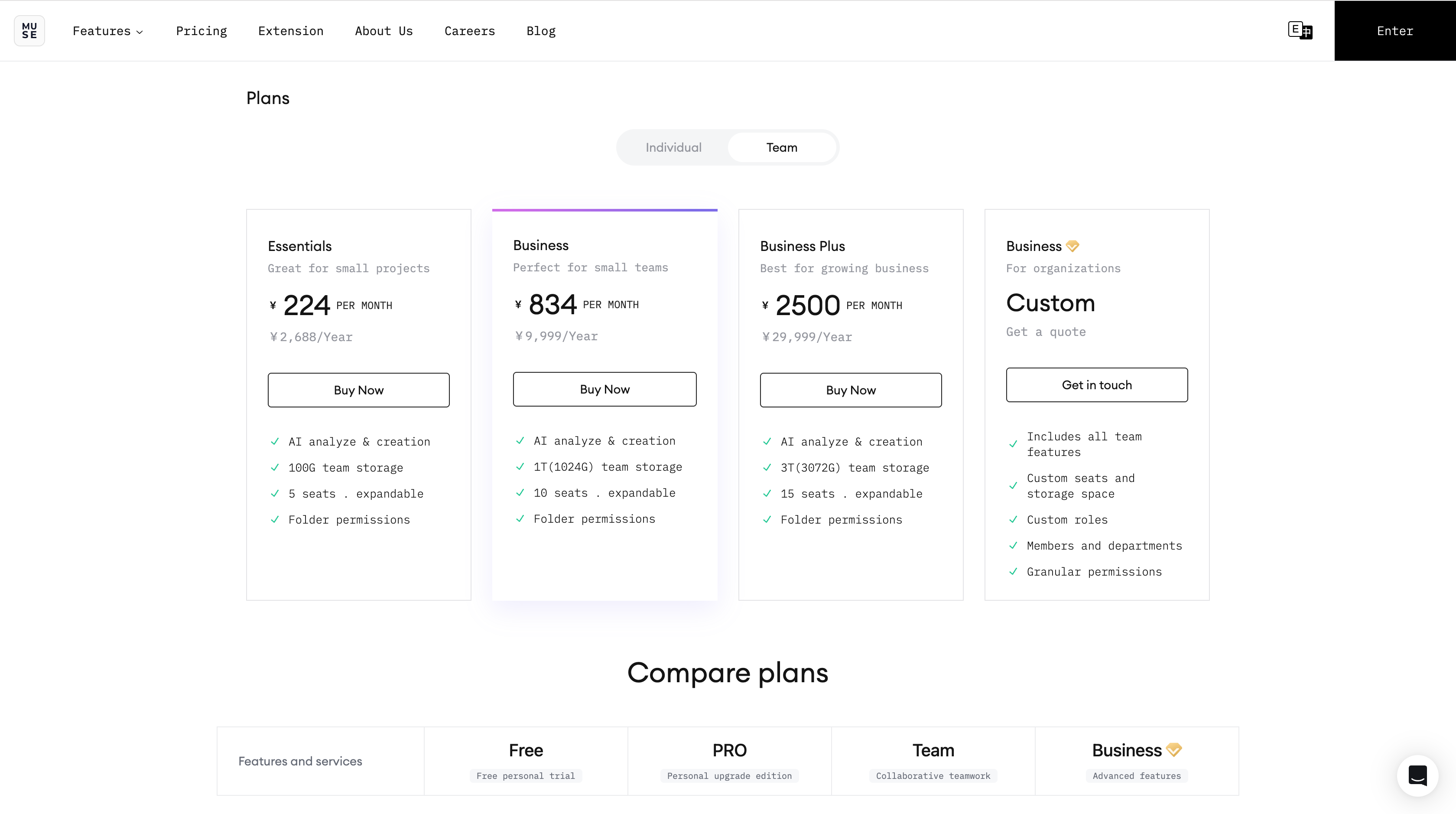
MuseDAM offers three team plans β Starter, Pro, and Ultimate β designed to fit teams of different sizes and digital asset management needs. Choose the plan that best matches your team's headcount, storage requirements, and feature needs. If your organization has more advanced requirements or enterprise-scale use cases, you can request an Enterprise demo to explore a tailored solution.
Teams that need more storage and additional user seats
Mid-to-large teams looking to unlock more powerful collaboration features
Organizations that need advanced AI capabilities and enterprise-grade administration tools
Teams coming off a trial period and ready to move to a paid plan
β‘ Quick Start
Purchase your plan in 3 steps:
Go to the plans page β Click your profile avatar β select Pricing & Plans
Choose your plan β Compare features across plans and select the one that fits your team
Complete payment β Review your order details and pay online
β¨ Expected result: Your plan activates immediately after payment. Your workspace storage and seat allocation are upgraded automatically.
π Step-by-Step Guide
Step 1 β Open the Plans Page
Log in to MuseDAM and click your profile avatar in the top-right corner
Select Pricing & Plans from the dropdown menu
You'll be taken to the plans page, where you can compare features and pricing across all available versions
Step 2 β Choose the Right Plan
Compare the Starter, Pro, and Ultimate plans and pay particular attention to:
Team seats β Does the plan accommodate your current team size, with room to grow?
Storage quota β Can it handle your existing assets and anticipated future volume?
AI credits β Does the allocation match how frequently your team uses AI-powered features?
Advanced features β Do you need enterprise-grade permission management, approval workflows, or compliance tools?
π‘ Considering Enterprise? If your team has more complex requirements β such as multi-level permissions, compliance auditing, or batch templating β our Enterprise plan may be the right fit. Book a demo to speak with our team and explore a solution built around your needs.
Step 3 β Review and Pay
Select your plan and click Buy Now
Review your order summary:
Plan version and price
Billing cycle (monthly or annual)
Number of user seats
Choose your payment method and complete the purchase
β Frequently Asked Questions
Q: How quickly does the plan take effect after payment?
Immediately β no waiting required. Your workspace storage and seats are upgraded automatically as soon as your payment is confirmed.
Q: Can I upgrade or downgrade my plan later?
Plan upgrades are supported. Please contact our support team to make changes to your subscription.
Q: What happens to my data if my plan expires?
After expiry, only the workspace owner will be able to access the space. Your data is retained for 60 days, but files cannot be modified during this period. Renewing your plan or purchasing a new one within that window will restore full access to your workspace.
β οΈ Things to Keep in Mind
Plan pricing may be adjusted over time β always refer to the current pricing page for the latest figures
Enterprise pricing is customized based on your specific requirements β please reach out to our team to discuss
We recommend making the most of your trial period to test the features you care about before committing to a paid plan